Chapter 3.1 - Commit Request
Use these methods to commit and uncommit Document Codes:
- Commit API
- Commit flag (
cmmt) in the invoice
Commit Endpoint
| Endpoint | Method | Description | Request | Response |
|---|---|---|---|---|
/api/v2/afc/commit | POST | Commits and Uncommits transactions. See Commit/Uncommit for more information. | Commit Request | Commit Response |
The Commit Request
The Commit request is used to change the Commit flag (cmmt) for a given Document Code (doc). Let’s send a simple Commit call using Postman and inspect the results.
Headers
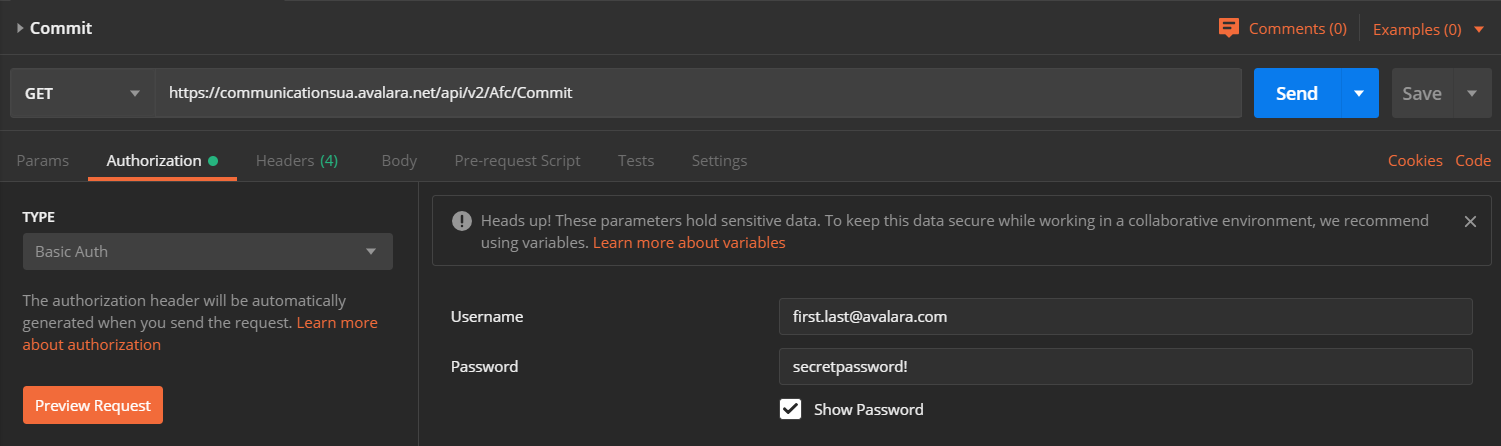
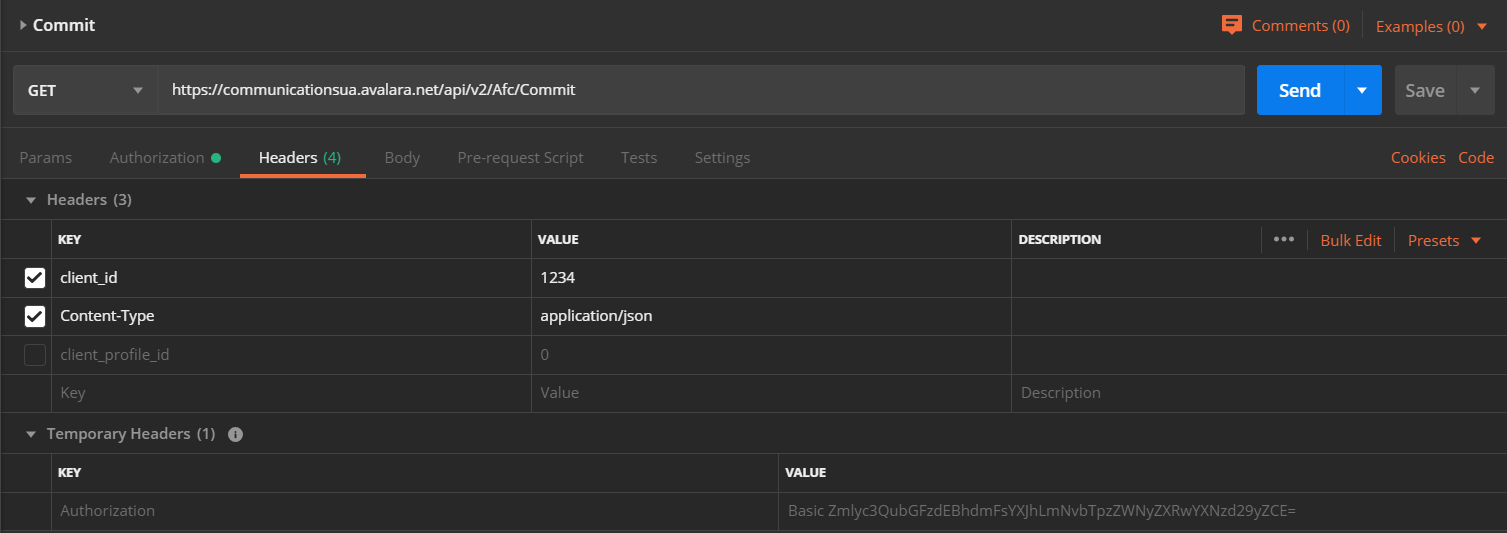
Add these mandatory headers to your request:
Authorizationusing basic HTTP authenticationclient_idContent-Type: application/json
Include the client_profile_id if you are using a client profile.
Postman Authorization Example
Postman Headers Example
Body
For the body of the POST request, copy and paste this example:
{ "doc": "DocumentCode12345", "cmmt": true, "opt": [ { "key": 1, "val": "Optional value" } ]}What are we sending?
- Document Code (
doc) "DocumentCode12345" - A request to commit Document Code "DocumentCode12345" by setting the Commit flag (
cmmt) totrue truecommits all transactions with Document Code (doc) – “DocumentCode12345” in this examplefalseuncommits all transactions with Document Code (doc)- Optional information about the Commit request using the Key Value Pair (
opt) object
Response
The Commit response contains a confirmation of success or failure:
{ "ok": true}trueindicates that the Document Code (doc) has been committed or uncommitted successfully (depending on the value of the Commit flag (cmmt))falseindicates an error - details are contained in the Error response object