Chapter 4.1 - Client Profiles
What is a client profile?
A client profile allows you to customize how the AFC tax engine interprets a request and returns tax results. Customizations include:
- Bundle
- Exclusion
- Tax Override
- AFC Tax Engine configuration
Why use a client profile?
Reasons to use a client profile include:
- Profiles are cached - this speeds up response times
- Using a client profile eliminates including the same customization, such as a tax override, in each CalcTaxes request
- Request a client profile containing customization file(s) and configurations be added to your client
- Specify the
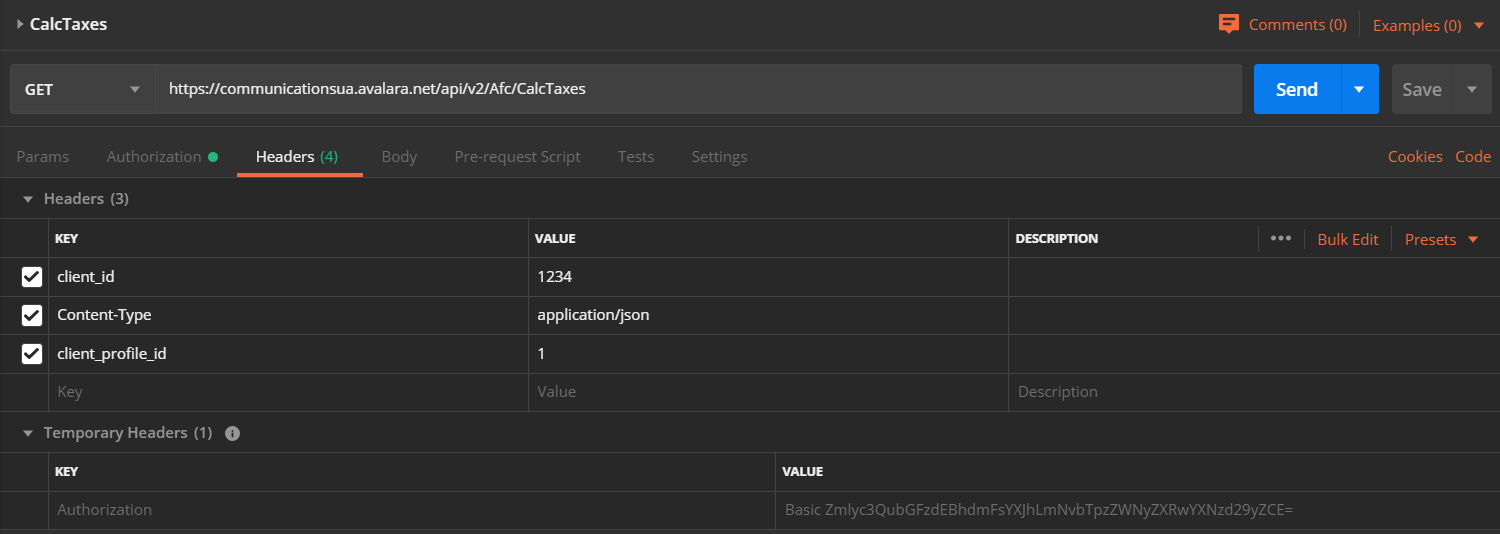
client_profile_idin the header to apply the client profile to all requests run using that header - Multiple profiles can be applied to your client ID. Examples uses for multiple profiles include:
- Separate configurations for different different types of transactions
- Separate configurations for child companies
- Testing new configurations
Authorizationusing basic HTTP authenticNoteationclient_idContent-Type: application/jsonclient_profile_id- Do not include
client_profile_id - Set
client_profile_idto "0"
How to apply a client profile to a session
When authenticating to Communications REST v2, pass the client profile ID in the header usingclient_profile_id.Postman example
Add these headers to your request: