
Getting Started with AvaTax
Customizing Your Transactions
Discounts and Overrides
Shipping and Handling
Use Cases
- Document Workflow
- Calculating Tax
- Address Validation
- Reportable Transactions
- Product Returns
- Exempt Transactions
- Voiding Documents
- Drop Shipping
- Consumer Use Tax
- Batch File Reference
- Automated Provisioning
- SOAP or REST
- Filtering in REST
- Authentication in REST
- Client Profile Headers
- Finding Your CompanyId
- Proxy Server Settings
- Errors and Outages
- REST Error Codes
- SOAP Error Codes
- Service Availability
- Going Live
- Logins and Resources
- About Client Strings
AvaTax Use Cases
New to AvaTax? Please read the AvaTax Developer Guide. This document explains everything about using AvaTax, from connecting to the API to how to calculate tax offline when your Internet connection goes down.
If you’re eager to get started, the best place to begin is:
- Sign up for a free trial of AvaTax online
- Download an AvaTax Software Development Kit to save time
- Visit the AvaTax Website to configure your tax profile
Online Store or Selling Page
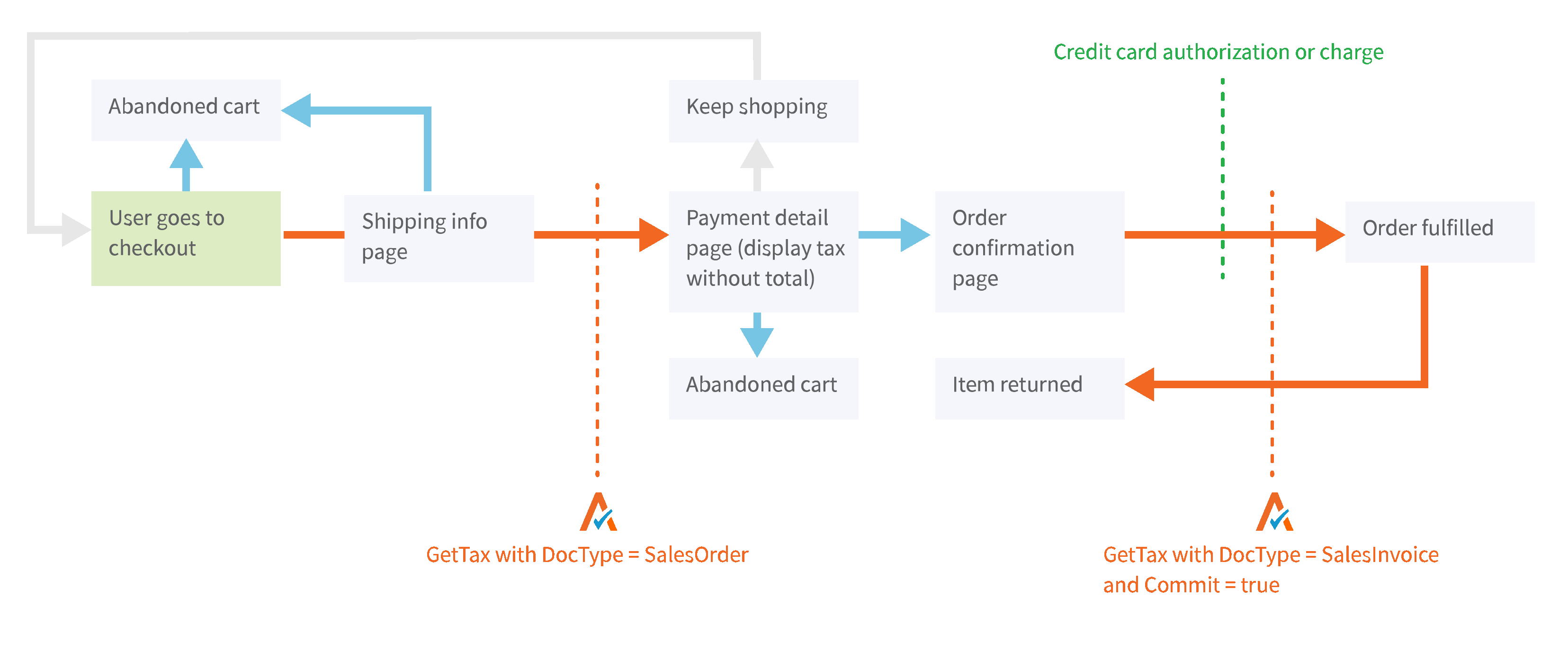
- When your customer opens a shopping cart and puts an item in it, you should call the CreateTransaction API with
typeset toSalesOrder. This will get you a tax calculation based on your shipping address and the customer’s destination address, but it will not record a permanent transaction, so you won’t have to do any cleanup for abandoned carts. - When the customer finalizes the order, call CreateTransaction again with
typeset toSalesInvoice. This will record the transaction permanently and allow you to fetch it back later with the GetTransaction API. - When your order ships, call the CommitTransaction API to mark the transaction as committed. This will prevent accidental changes to the transaction, and if you use Avalara’s Managed Returns Service, this will allow our team to file your sales tax return.
Accounting or ERP System
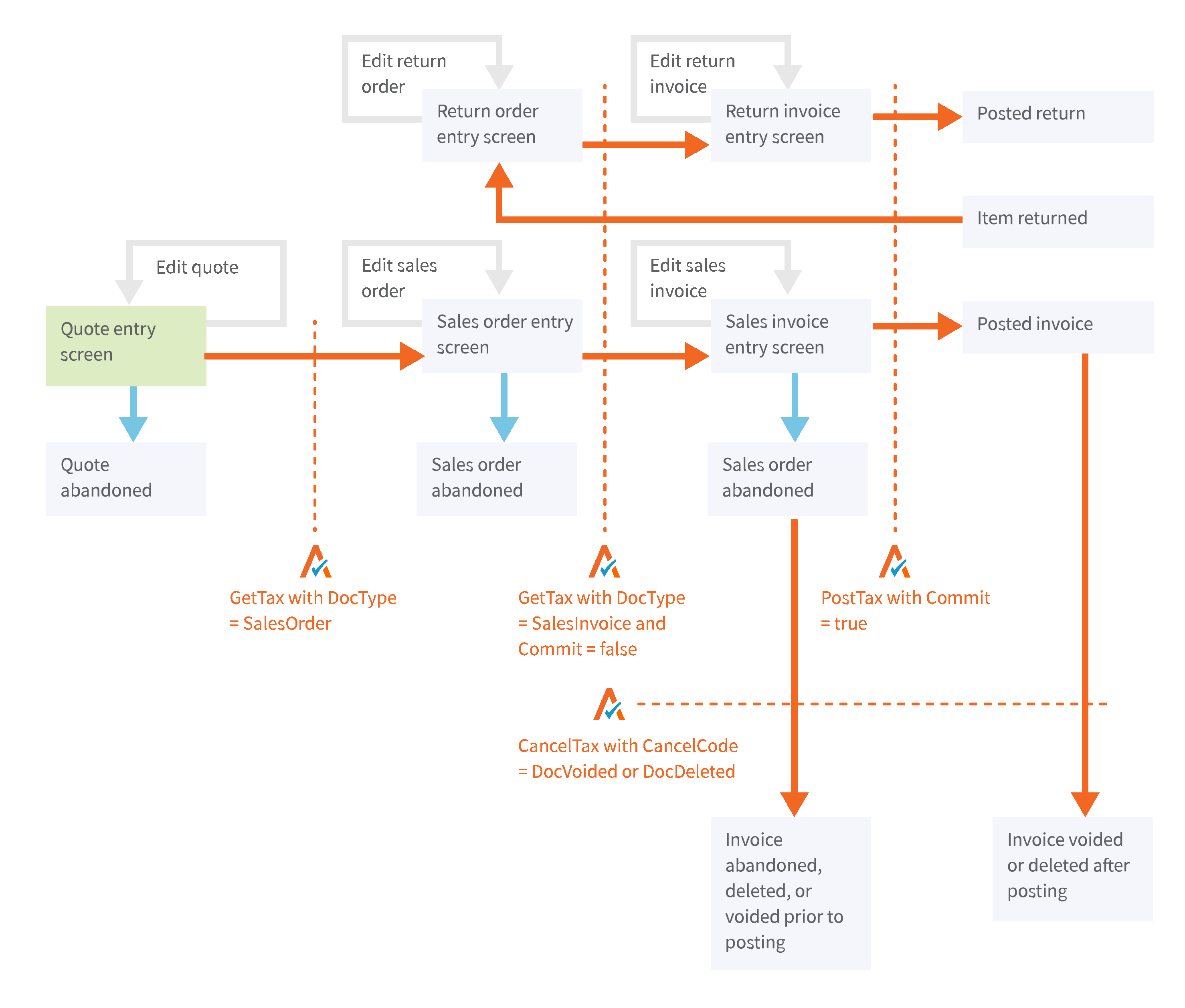
In addition to the workflows above, there are additional document types and processes to account for.
- Quotes and sales orders tend not to reflect actual sales, and can often be abandoned (without a void or return processed). For this, we recommend using DocType SalesOrder.
- Invoices usually represent an actual sale, so you can use DocType SalesInvoice. Because the creation of an invoice does not usually represent the finalization of that sale, keep the document in an uncommitted status.
- When the invoice is posted and the sale is recognized, the document should be committed by setting Commit=true on either GetTax or PostTax. Commit will only work when an invoice DocType is used.
- Returns and credit memos work just like invoices, but they should be sent with negative amounts and some date considerations.
- If invoices or returns are voided, that cancellation needs to be communicated to AvaTax with a CancelTax call.
If you’re ready to start some testing, you may want to review the full AvaTax REST API Reference. You can also continue reading the Developer Guide - it has great information on how to calculate tax for shipping and handling, how to process customer exemption certificates, and more!